Engineering challenges for a real RAG application
Background
R-help-chat is an application for searching and chatting with emails from 10+ years of email archives for the R-help mailing list for the R software project. I built this end-to-end system from the ground up starting with LangGraph abstractions for OpenAI and ChromaDB.
What I want to talk about here is not LangGraph per se, but the supporting prompts, database infrastructure, and retrieval strategies that turn the system from a demo into an application that benefits users.
In a nutshell
The most relevant Git commits for each challenge, in reverse chronological order:
#5: Speed up date searches
#4: Get LLM response even if last tool result is empty
#3: Load large database from S3 bucket
#2: On-disk persistence with BM25S
#1: Effective data processing
Challenge #5: Speed up searches over date ranges
Situation: We want to filter by year and month before the similarity search to reduce search space and speed up searches
Task: Use Where expressions in LangChain Chroma integration
Actions:
- Add
year(int)andmonth(str)metadata fields to embeddings - Use MongoDB-style dictionary syntax for nested conditions
- Direct Cursor to generate code to create search dictionary for year and month conditions
View Cursor prompt
I'd like to modify BuildRetrieverDense in @retriever.py to handle start_year,
end_year, and month arguments using the "where" filtering of ChromaDB. For
example a search of the last three months in 2020-2025 can be expressed by
this where search dictionary:
{
    "$and": [
        {"$or": [
            {"month": "October"},
            {"month": "November"},
            {"month": "December"}
        ]},
        {"$and": [
            {"year": {"$gte": 2020}}
            {"year": {"$lte": 2025}}
        ]},
    ]
}
I believe the "where" argument can be added to the search_kwargs parameter in
ParentDocumentRetriever. Use convert_months to convert 3-letter month
abbreviations in the 'months' argument to the full names. After this is
implemented, change BuildRetriever to remove the TopKRetriever for the dense
retriever and instead directly call BuildRetrieverDense with the year and
month arguments.
Results:
- Retrieval time decreased from >20 s per retrieval for a given year to <5 s
- Architectural foundation for implementing more complex searches with custom metadata fields (for example, a single vector db with both the R-help and R-devel mailing lists so the approriate list can be chosen by the LLM based on the user’s question)
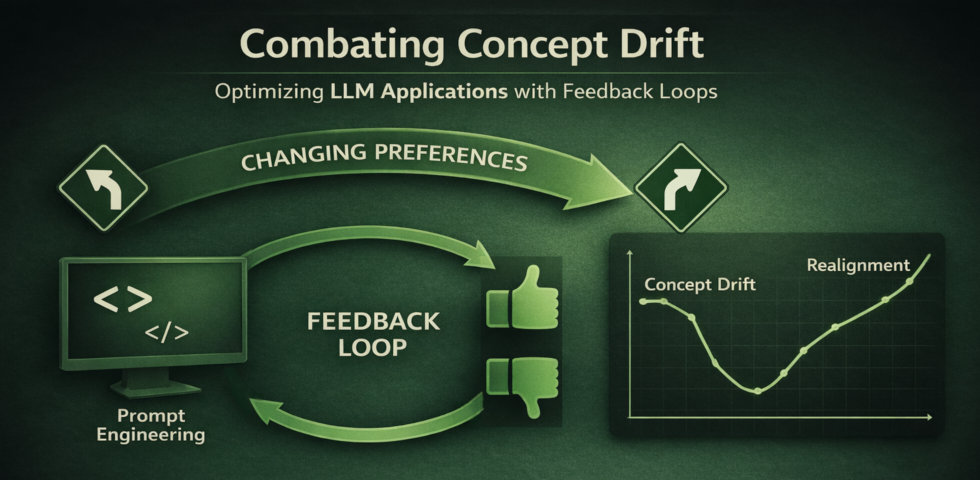
Challenge #4: Getting an LLM response if only the last tool call didn’t work
Situation: The LLM would say “no emails were retrieved” if the last tool call was empty, regardless of previously retrieved emails
Task: This is a prompt engineering problem. We have to think like the LLM thinks (specifically, gpt-4o-mini in this case)
Actions:
- Read the prompt written by the human coder. The previous prompt had
### No emails were retrieved.. - Think like the LLM. If it sees
### No emails were retrieved.as the final instruction, it will naturally repeat this information. - Improve the prompt. I changed it to
### Retrieved Emails.- This wording is a subtle but important shift from a declaration to a header or separator.
Results:
- Today is January 9 (the real date as I write)
- When I ask to summarize emails in the last two months, the LLM searches for Nov and Dec 2025 and Jan 2026.
- It’s funny how the LLM hedges its bets and actually searches for 3 months!
- But we have to be aware that Jan 2026 is not yet in the email database.
- Before this change to the prompt, the LLM’s response was “No emails were retrieved”, even though it did have emails from Nov and Dec.
- After this change, it gives an informed response based on the emails from Nov and Dec, ignoring the missing emails from Jan 2026.
Challenge #3: Load large database into deployment with repository size limits
Situation: The email database for 10 years of R-help doesn’t fit into the 1 GB free deployment repository provided by Hugging Face
Task: Find a way to dynamically load the db into the live app, which has ample ephemeral storage
Actions:
- Zip the database into a single file for upload
- Create a secure Amazon S3 bucket
- Upload the zipped database to S3
- In the outer code of
app.py(before launching the Gradio app), check for adbdirectory- If the
dbdirectory is present, that means we are running locally - do nothing - If it doesn’t exist, then download the zip file using the boto3 library and extract it to the
dbdirectory
- If the
Result: Application runs seamlessly for local testing and in deployment.
Challenge #2: Implement hybrid (dense+sparse) search with local persistence
Situation: Chroma provides local persistence for vector embeddings but only a cloud option for sparse search. The URL is explicitly printed here so you can see the cloud path to sparse search in Chroma: https://docs.trychroma.com/cloud/schema/sparse-vector-search.
Task: Adapt open-source BM25 search for local persistence and implement hybrid search
Actions:
- Identify BM25S as the most promising fast implementation of BM25 without external dependencies (ElasticSearch, etc).
- Discover a LangChain pull request that shows how to add persistence to the BM25S retriever:
- Use the persistable BM25S within a hybrid search using the LangChain EnsembleRetriever class
Results:
- A local implementation of hybrid search, with persistence to on-disk dbs - no cloud or API needed!
- This was the engineering key to a scalable retrieval workflow, leading to an actually useful app instead of a prototype
Challenge #1: Effective data processing
Task: Develop a sustainable data processing pipeline that meets user requirements
Actions:
- Recognize that incremental updates are crucial and that they require custom code for change detection
- Implement logic to detect unchanged archive files and skip them from indexing
- Use LangChain Classic’s ParentDocumentRetriever to retrieve whole emails, not just the embedded chunks
- Don’t forget basic text processing like truncating exceedingly long emails (mostly raw data dumps)
Results:
- Incremental updates give massive speedup in embedding/indexing time
- It really works - I’ve been making monthly updates to the database without issues
- Retrieving whole emails makes the LLM’s responses more coherent; the emails are also visible in the frontend to the user
Takeaways
These challenges represent the work of building production RAG systems for real users:
- Building data pipelines that handle incremental updates
- Designing retrieval strategies and LLM workflows tailored to specific use cases
- Navigating the LangChain/LangGraph ecosystem to build features that go beyond tutorials
- Finding solutions to deployment constraints
The difference between a demo and a useful application lies in solving these practical problems.